
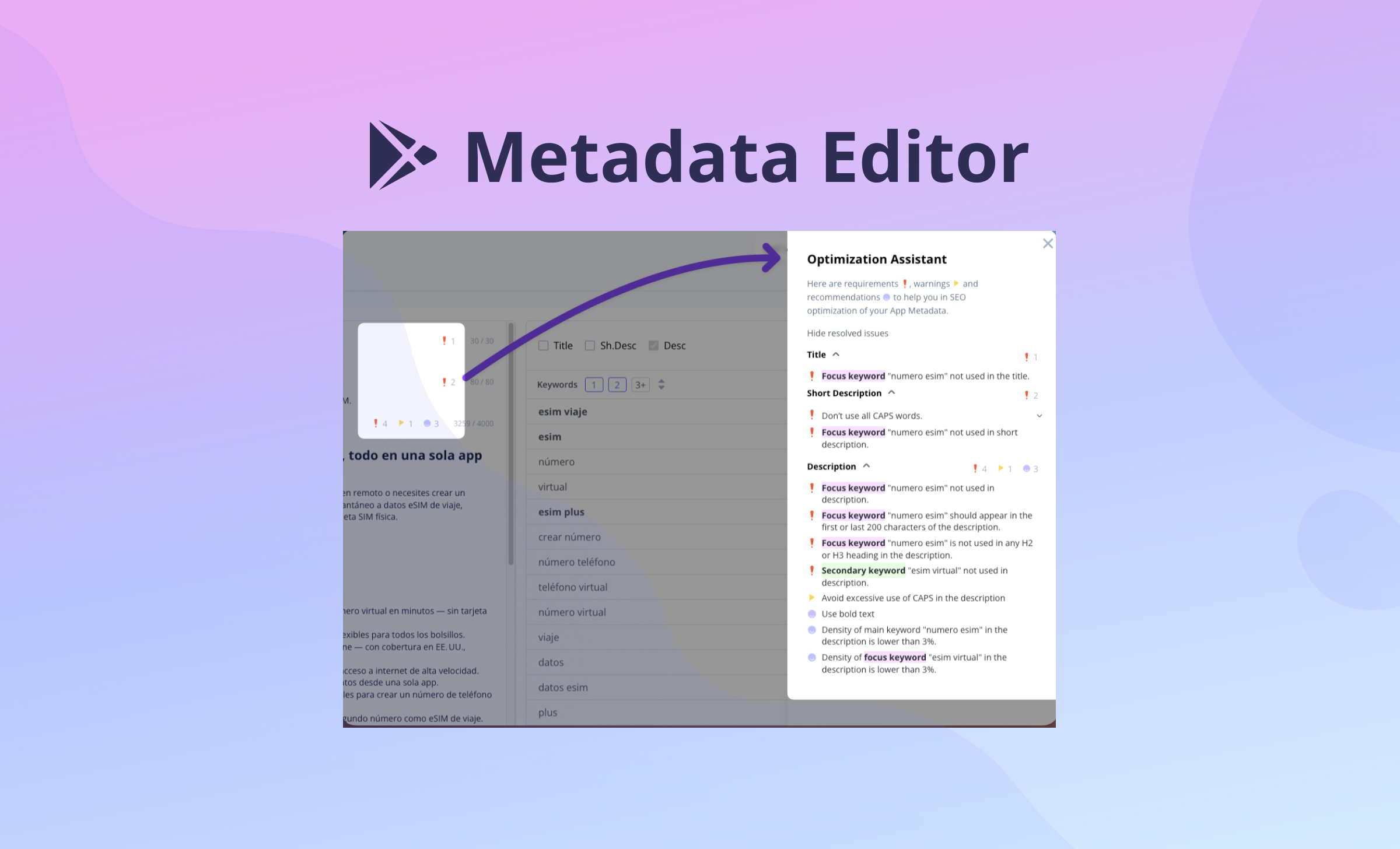
At Asolytics, we believe that metadata creation shouldn’t be a game of guesswork. To help you build high-performing store listings backed by data, we’ve launched the Google Play Meta Editor. This workspace is designed specifically for creating and optimizing metadata sets that effectively cover search queries from your semantic core.
Instead of jumping between spreadsheets and the console, you can now optimize your Title, Short Description, and Description in the most effective way to ensure coverage of popular keywords across different countries and localizations.
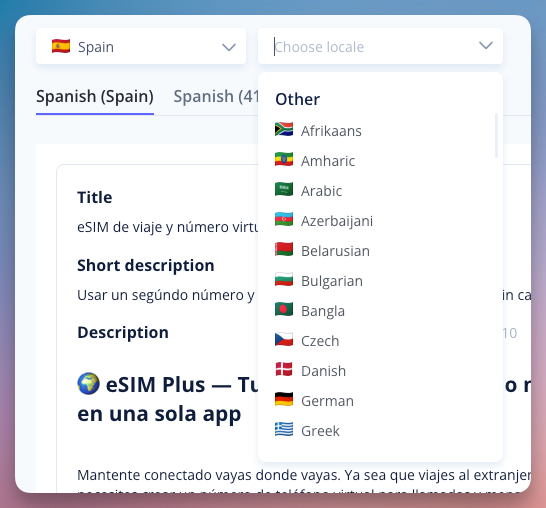
Multi-Localization Support
Managing a global app presence is complex. Our new interface simplifies this by allowing you to edit and manage your app’s metadata for all targeted regions within a single, unified view. This ensures consistency and quality across every market you serve.
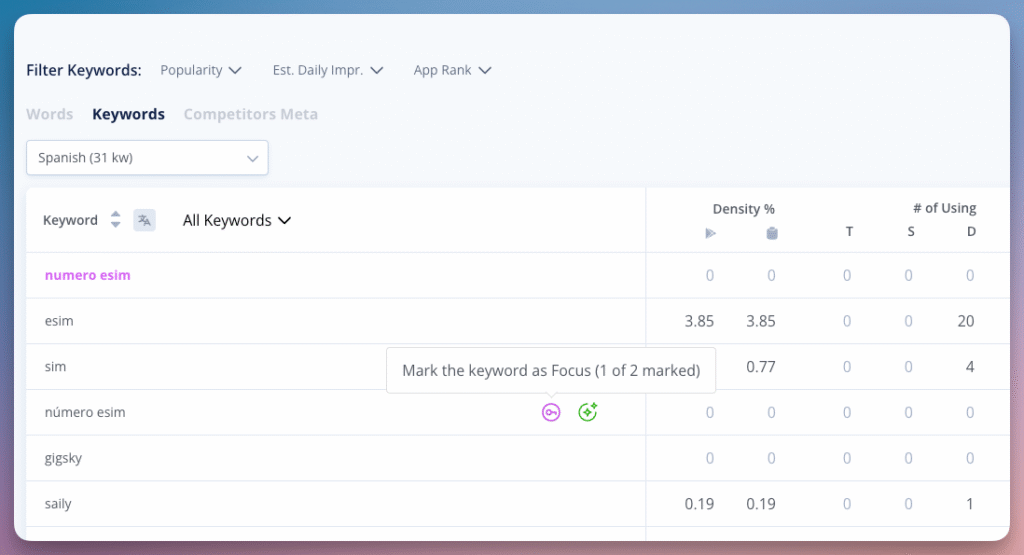
Keyword-Driven Localization
Successful ASO starts with the right focus. For every localization, you can now select two focus keywords and several secondary keywords. This targeted approach allows you to optimize your Title and Descriptions for maximum coverage of the most popular search queries from your semantic core in each specific country.
Built-in Optimization Assistant
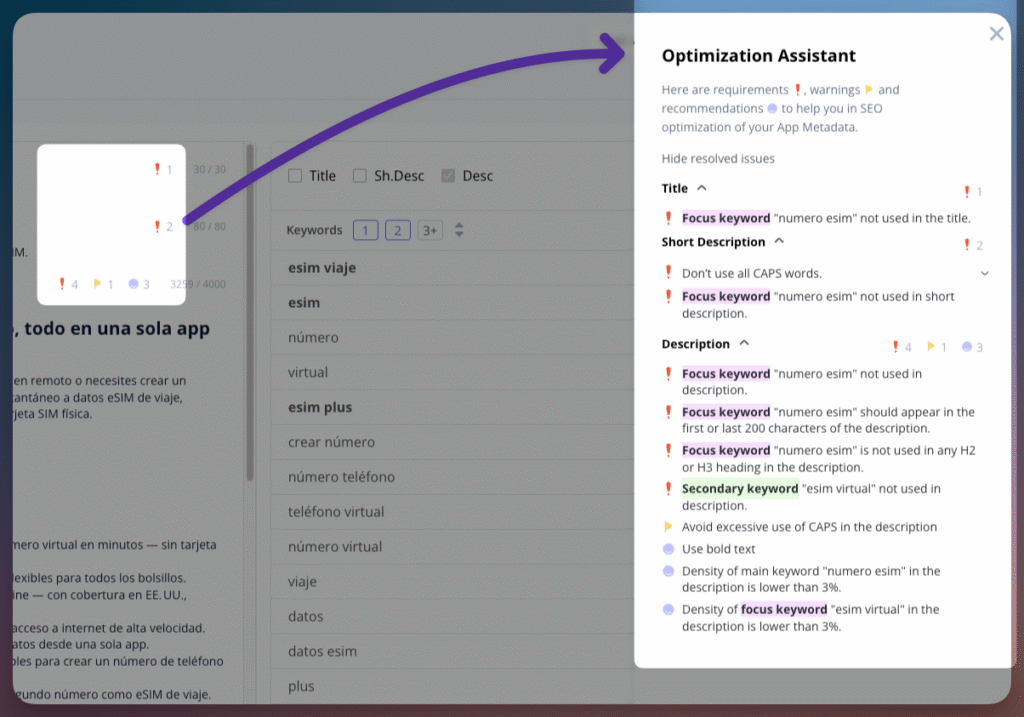
To eliminate manual auditing, the editor features real-time indicators directly next to each text field. These indicators act as your technical guardrails, flagging errors and offering specific recommendations based on over 25 optimization parameters, including:
- Keyword Presence: Get immediate alerts if your primary focus keywords are missing from the Title or Short Description.
- Density Control: Monitor the frequency of focus and secondary keywords to prevent over-optimization and maintain natural, readable phrasing.
- Strategic Placement: Ensure primary terms appear in critical zones, such as the first or last 200 characters of the Description, to boost indexing.
- Content Structure: Receive automated checks for H2/H3 headings, lists, and formatting errors like excessive use of CAPS.
Easy Competitor Metadata Analysis
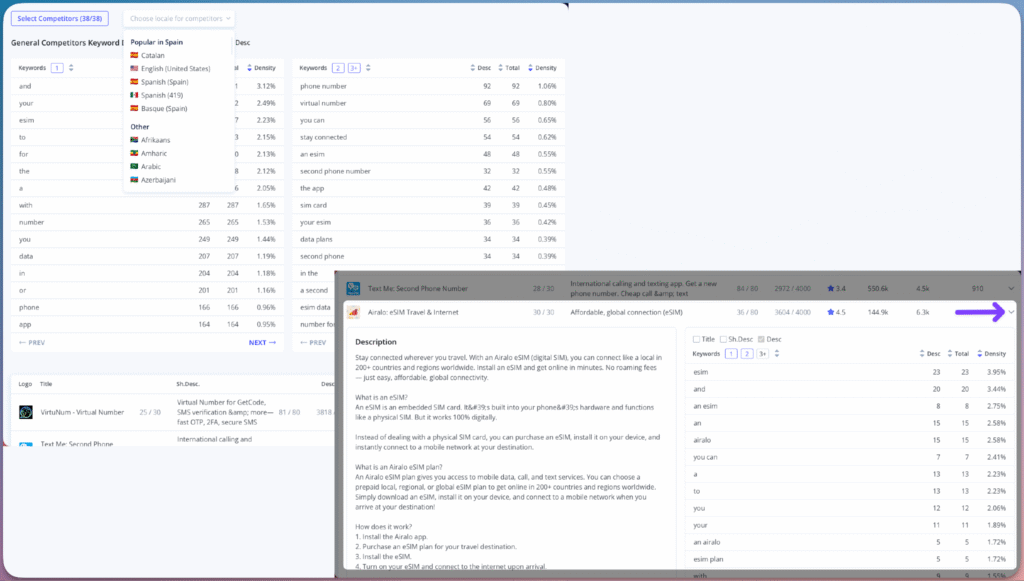
Understanding the competitive landscape is key to outranking rivals. The Meta Editor allows you to analyze exactly how competitors structure their metadata in any specific country.
By viewing the General Competitors Keyword Density, you can see the frequency of terms used across their listings. This allows you to compare their content directly against your own draft to pinpoint exactly which keywords they focus on, helping you identify gaps and position your metadata to compete effectively.
Stop Guessing, Start Optimizing
The Meta Editor helps you catch optimization mistakes early and prepare your metadata to cover as many popular search queries as possible. Instead of wondering if your metadata will work, you can now structure your texts with the confidence that they are technically optimized for search visibility before you hit publish.
Our goal is to ensure your store listing is ready to reach the maximum number of users from the moment it goes live.
FAQ
Who is the Meta Editor designed for?
The Meta Editor is built for anyone responsible for an app’s store presence – from developers and indie creators to marketing managers -who wants to move away from guesswork and ensure their metadata is technically sound and keyword-optimized before it goes live.
How does the Meta Editor differ from editing metadata directly in Google Play Console?
Unlike the Console, which is a publishing tool, the Meta Editor is a dedicated drafting and auditing environment that provides real-time validation, density tracking, and competitor insights to ensure your texts are search-ready before you ever hit publish.
What problems does the Meta Editor solve compared to spreadsheets or manual workflows?
It eliminates the manual overhead of keyword counting, placement checks, and cross-referencing competitors in spreadsheets by integrating over 25 validation parameters directly into the writing process.
Does the Meta Editor improve keyword coverage or just text quality?
It improves both; it ensures your Title, Short Description, and Description are structured to cover as many popular search queries as possible from your semantic core while simultaneously checking for formatting and readability issues.
What is a semantic core and how does the Meta Editor use it?
A semantic core is the total set of search queries relevant to your app (your tracking keywords at Asolytics); the Meta Editor uses it as a foundation, allowing you to build and optimize your metadata specifically to cover these queries for better search visibility.
How are focus keywords different from secondary keywords?
Focus keywords are your two primary targets for a localization, while secondary keywords are additional terms you want to track to ensure broad search coverage within the same market. Optimization assistant use different guidelines for focus keywords.
Why can I select only two focus keywords per localization?
This prioritization helps you focus on the most critical, high-volume terms for each specific country, ensuring they are placed in the most impactful metadata fields for indexing (title, short description).
What optimization parameters does the Meta Editor check?
It checks over 25 parameters, including keyword presence in titles, keyword density, strategic placement in the description, and structural elements like H2/H3 headings.
How does keyword density control work?
It monitors how often focus and secondary keywords appear throughout your metadata, flagging instances where usage is either too low for indexing or too high (which risks being flagged as spam).
What happens if my focus keyword is missing from critical fields?
The Optimization Assistant provides immediate real-time alerts if your selected focus keywords are absent from the Title or Short Description, the two most important fields for Google Play ASO.
Why is keyword placement (first/last 200 characters) important for indexing?
Keywords placed at the very beginning and end of a long description are often weighted more heavily by search algorithms; the editor validates this placement to strengthen your app’s relevance.
Does the editor check for spammy or unnatural keyword usage?
Yes, through density monitoring and formatting alerts (like excessive use of CAPS), the tool helps you maintain a professional listing that avoids common spam triggers.
How does multi-localization work in the Meta Editor?
It allows you to edit and manage your app’s title, short description, and full description for multiple different regions within a single, unified interface. You can select semantic core (choose country to change keywords) + localization to optimize this pair.
How does keyword strategy differ between countries in the editor?
For every localization, you can define a unique set of focus and secondary keywords tailored to the specific search behavior and popular queries of that particular country.
Does the tool support non-English languages and local search behavior?
Yes, it is designed for global optimization, allowing you to select and track keywords specific to any localization or language supported by Google Play.
ow does competitor analysis help identify keyword gaps?
By seeing which keywords competitors are prioritizing and how dense their usage is, you can spot terms they are missing or areas where you need to increase your own density to compete.