
You scan a QR code and an app opens instantly. No download. No sign-up. No waiting. That’s an app clip. Even now, app clips still remain one of Apple’s most underrated growth tools. They let users try a key feature of an app in seconds – right when they need it. On an iPhone. Inside iOS. With almost zero friction.
For users, app clips mean speed and convenience. For app owners, they mean engagement and better conversions. And for ASO? They open a new door.
Apple app clips sit between search, real-world actions, and the App Store. They remove barriers to first use and can boost installs. While Apple doesn’t expose app clip metrics as ranking factors, they help teams better understand user intent and optimize store assets accordingly
In this article, we’ll clarify:
- What is app clips on iPhone in 2026?
- How do they work?
- Why do they matter for ASO?
You’ll also learn how to use app clips to attract more users and build stronger app discovery strategies.
Table of Contents
What Are App Clips on iPhone?
App clips are lightweight parts of iOS apps that let users access specific features without installing the full app. You can think of them as mini versions of your app: they focus on one task, launch instantly, and disappear when the task is done.
Apple introduced app clips with iOS 14 as part of its push toward more contextual mobile experiences. The idea was simple: let users do something in the moment.
Since then, app clips have matured alongside iOS. Now, they are deeply integrated into system features like Apple Maps, Safari, Messages, NFC, and QR scanning. An Apple app clip is no longer an experiment, but a part of how the iPhone works.
How App Clips Differ from Full Apps
The main differences between full apps and iOS app clips are as follows:
- Size and speed. App clips are lightweight (up to 15 MB) and load almost immediately. Full apps are much larger and optimized for long-term use.
- Access method. Full apps are discovered mainly through App Store search and browsing. App clips are context-driven. They are typically triggered at moments of intent via QR codes, NFC, links, etc.
- User experience. App clips focus on one high-value action. Full apps offer multiple features and deeper functionality.
- Conversion flow. App clips let users experience value first and install later. Typical mobile products follow the traditional flow: download first, experience value after.
Apple App Clips: Benefits to Users
For everyday iPhone users, app clips eliminate the friction that often kills conversion. No more thinking whether downloading a new app is “worth it.” No more cluttering their home screen with apps they’ll use once. Just instant access to what they need, when they need it.
How App Clips Work on iPhone & iOS
To understand why app clips matter for ASO, you need to understand how users actually find and use them. Let’s learn a bit more about that!
1. Discovery & Invocation
As we’ve already mentioned, app clips aren’t discovered through App Store browsing. They appear exactly when the user needs them. Apple calls these moments invocations – real-world triggers that launch an app clip instantly.
Here are the main ways it happens:
- QR codes. Scan a code with the iPhone camera. The app clip opens right away. This works with both standard QR codes and Apple’s special app clip codes. You’ll often see them on tables, posters, receipts, or product packaging.
- NFC tags. Just tap your iPhone on a physical object. No app. No scan. Even the screen can stay locked. This is one of the smoothest ways to launch an app clip and works great for parking meters, scooters, and in-store experiences.
- Safari Smart Banners. When users visit your website in Safari, a banner at the top can offer to use app clips instead of the mobile web. It’s faster and feels more native than a browser flow.
- Apple Maps and Messages. In Apple Maps, action buttons like “Order Food” or “Book Now” can launch an app clip directly. In Messages, shared links can open as app clips inside the chat – perfect for recommendations and quick actions.
In short, app clips show up at moments of intent. No searching. No installing. Just tap, act, and go.
2. User Experience Flow
The app clip experience is designed to be short and focused. The typical flow looks like this:
- You trigger the app clip.
- The app clip opens instantly.
- You complete your task.
- iOS optionally suggests installing the full app.
That’s it. Whether you’re ordering food or paying for parking, the flow stays the same. The key point is simple: value comes before installation. This reverses the traditional app funnel.
3. Under the Hood
From a technical perspective, app clips are part of the same app bundle as the full app. They are not separate products in App Store Connect.
They can integrate with:
- Apple Pay
- Sign in with Apple
- Location services
- Camera and NFC
App clips are tightly connected to system-level discovery. But to benefit from this, developers must configure proper invocation points and metadata.
From an ASO point of view, this means app clips must be planned, not treated as an afterthought.
Why App Clips Matter for ASO in 2026
So, the critical question is, “Do app clips really affect ASO?” The short answer is: yes. The long answer: in more ways than you might expect. Here are the main benefits.
Increased Visibility
Traditional apps rely on keywords and rankings in the App Store. But app clips expand your app’s presence far beyond it. They create micro touchpoints – short, contextual moments where users interact with your product exactly when they need it the most.
They can appear in:
- Apple Maps listings
- Physical locations via QR and NFC
- Safari web experiences
These are high-intent environments. Users are not browsing. They are ready to act. Each app clip invocation is a brand impression and a discovery event. Even if the user doesn’t take the next step, your brand is now part of their real-world experience. That visibility compounds over time.
Conversion Boost
One of the biggest ASO challenges is conversion. Traditional app acquisition requires users to:
- Decide to search for an application.
- Find yours among competitors.
- Commit to a large download (often 50MB+).
- Wait for installation.
- Open the app and complete registration.
- Finally reach the core feature.
Anything can break this flow. People may hesitate to download. They worry about storage, privacy, or whether the app is worth it at all. App clips remove that friction. They collapse a multi-step journey into seconds. Users can try the core value immediately and build trust first. Only then are they invited to continue with the full version.
The result is higher-quality installs. Customers who install after using an app clip already know what they’re getting. That usually means better retention and engagement metrics.These metrics often correlate with stronger ASO performance.
Engagement & Retention
Apple values engagement. App clips give ASO teams access to behavioral signals that don’t exist in traditional app discovery:
- Time spent in the app clip
- Task completion rates
- Conversion from app clip usage to full app
- Repeat app clip use without installation
These interactions can indicate high-intent user behavior. To make sense of them, ASO teams need the right analytics layer. Tools like Asolytics Store Chart, Live Search, and Keyword Tracking help connect app clip behavior with real App Store performance. For example, if app clip users consistently convert around a specific action, that intent can be reflected in keywords, screenshots, and feature positioning.
In 2026, ASO is no longer just about keywords. It’s about understanding what users actually do.
Using App Clips in an ASO Strategy: Helpful Tips
App clips are powerful, but only when used correctly. Here are a few tips on how to apply them:
1. Choose the Right Use Cases
Not every app feature makes a good app clip. We recommend focusing on those that:
- Solve one problem
- Can be completed quickly
- Don’t require complicated setup
- Naturally lead to the full app
Ask yourself: What is the first thing users want to do? Do I need app clips on iPhone for this? If your answer is “yes,” that action belongs in your app clip.
2. Work on App Clip Cards and Metadata
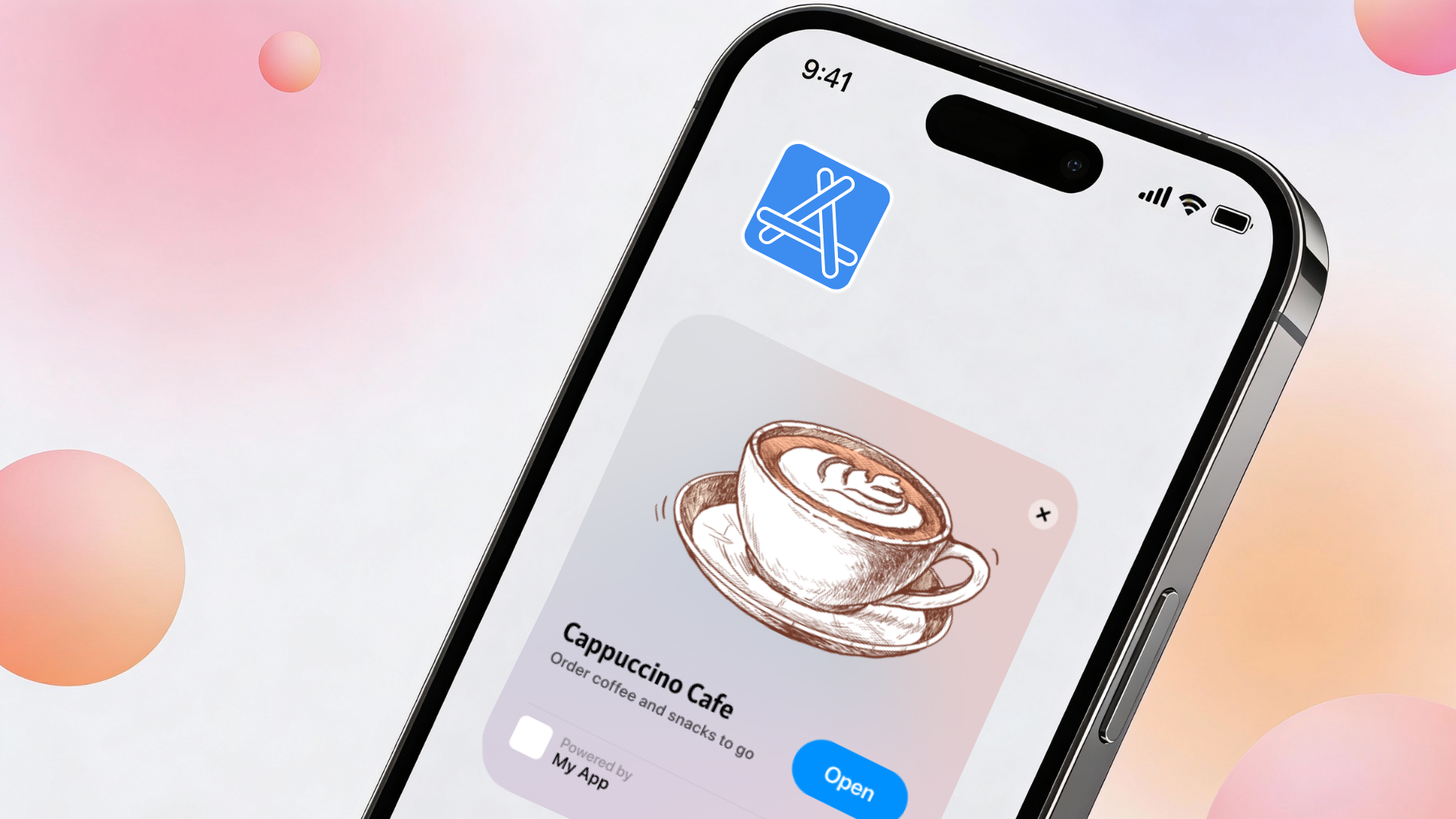
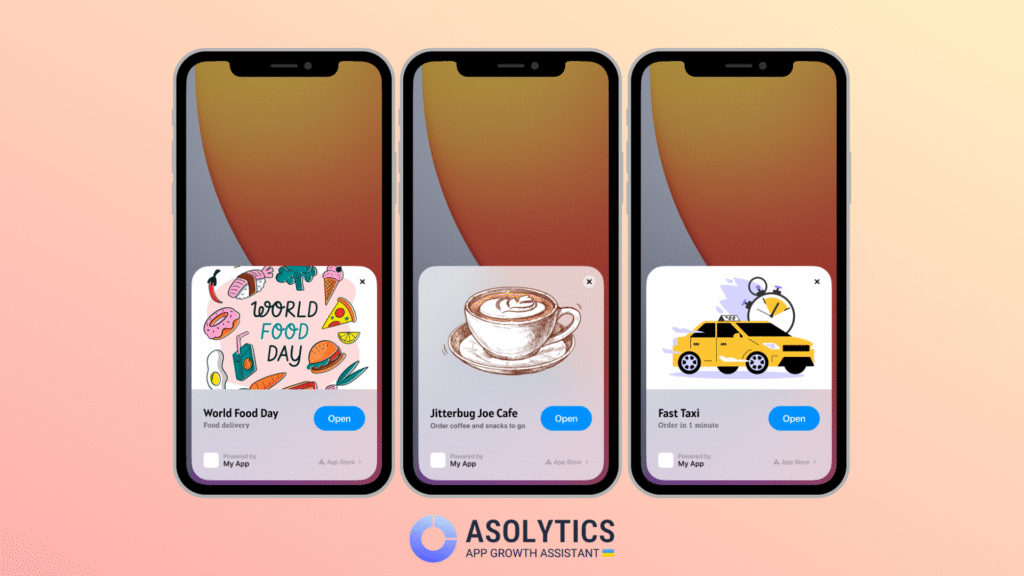
Before an app clip opens, users see an app clip card. This is the first impression and often the deciding moment.
An app clip card includes:
- A short title
- A subtitle
- A header image
- A call-to-action button
This setup is similar to an App Store product page, but the rules are different. Text is shorter and space is tighter. So, the message has to be clear instantly.
App clip iPhone metadata doesn’t influence keyword rankings directly. But it plays a big role in conversion. A clear subtitle and a strong action button can be the difference between a tap and a drop.
For your ASO team, this is another optimization layer. If users open app clips to order or unlock something, the card should reflect that exact action. Not the brand story or extra features. Just the value of the moment. Asolytics keyword and metadata tools can help you align app clip messaging with proven user intent.
3. Optimize Invocation Points
Context is everything. Place app clips where users need them the most:
- In-store locations: QR codes at tables or product displays
- Out-of-home advertising: posters, transit ads
- Physical products: NFC tags on equipment or packaging
- Digital touchpoints: website banners, social media links, and email campaigns
- Location-based services: Apple Maps tags for businesses with physical addresses
From an ASO perspective, these touchpoints act like alternative acquisition channels. They support your App Store presence instead of competing with it.
4. Track & Analyze Engagement
App clips are not “set and forget.” Despite their tracking limitations, you still need to keep an eye on valuable data:
- Check how often app clips are invoked.
- Track completion rates for core actions.
- Measure conversion from app clip usage to full app installation.
- Analyze which invocation methods generate the highest-quality users.
Use this information to make your ASO decisions. If users consistently use one app clip feature, that feature deserves more visibility in your product screenshots and descriptions. If specific invocation points work well, invest more in similar channels. Real usage should guide optimization.
To track changes in installs, revenue, and search visibility after app clips are launched, ASO teams can use tools like the Asolytics Dashboard.
5. Integrate Seamlessly with the Full App
The transition from app clip to full app must feel natural. No surprises. No friction. No lost progress. A smooth transition increases the chance that app clip users become long-term users. And long-term users are the foundation of sustainable ASO growth.
Common Misconceptions about App Clips
With the development of app clips, there emerged various myths that need clarification:
- App clips replace full versions They don’t. They handle specific tasks brilliantly but lack the depth and features of complete applications.
- Application clips don’t affect ASO On the contrary. App clips influence ASO indirectly, but meaningfully. They create new discovery channels and generate high-intent users who are more likely to convert and retain.
- Users don’t need app clips Users may not ask for app clips. But they consistently prefer faster, simpler experiences.
- They are too expensive to develop They share the same code as the main app, so the overhead is small compared to the potential gain.
If you want to turn these ASO insights into action, Asolytics makes it easier to see the full picture in one place. With a free trial plan, you can review key ASO tips and common optimization mistakes directly in a single dashboard, discover thousands of relevant keywords automatically, and track their performance on a daily basis. This helps connect real user behavior with search visibility, so you can continuously refine your App Store strategy based on data, not guesswork.
Wrapping Up
In 2026, ASO is no longer limited to the App Store page. Discovery happens everywhere. Decisions happen faster. Users expect value instantly. App clips sit exactly at that intersection. They turn real-world moments into app experiences and reduce friction before installation. Besides, they create high-intent engagement signals that support ASO performance.
Now is the time to map app clip use cases that align with your users’ most important actions. Because in modern ASO, the fastest experience often wins.